Open Agent
Manager
Desktop terminal for parallel AI coding agent sessions. Projects on the left, terminals on the right. Connect local, SSH, or CMDOPCMDOP is a secure tunneling protocol for remote agent access — no VPN or port forwarding needed. cmdop.com.
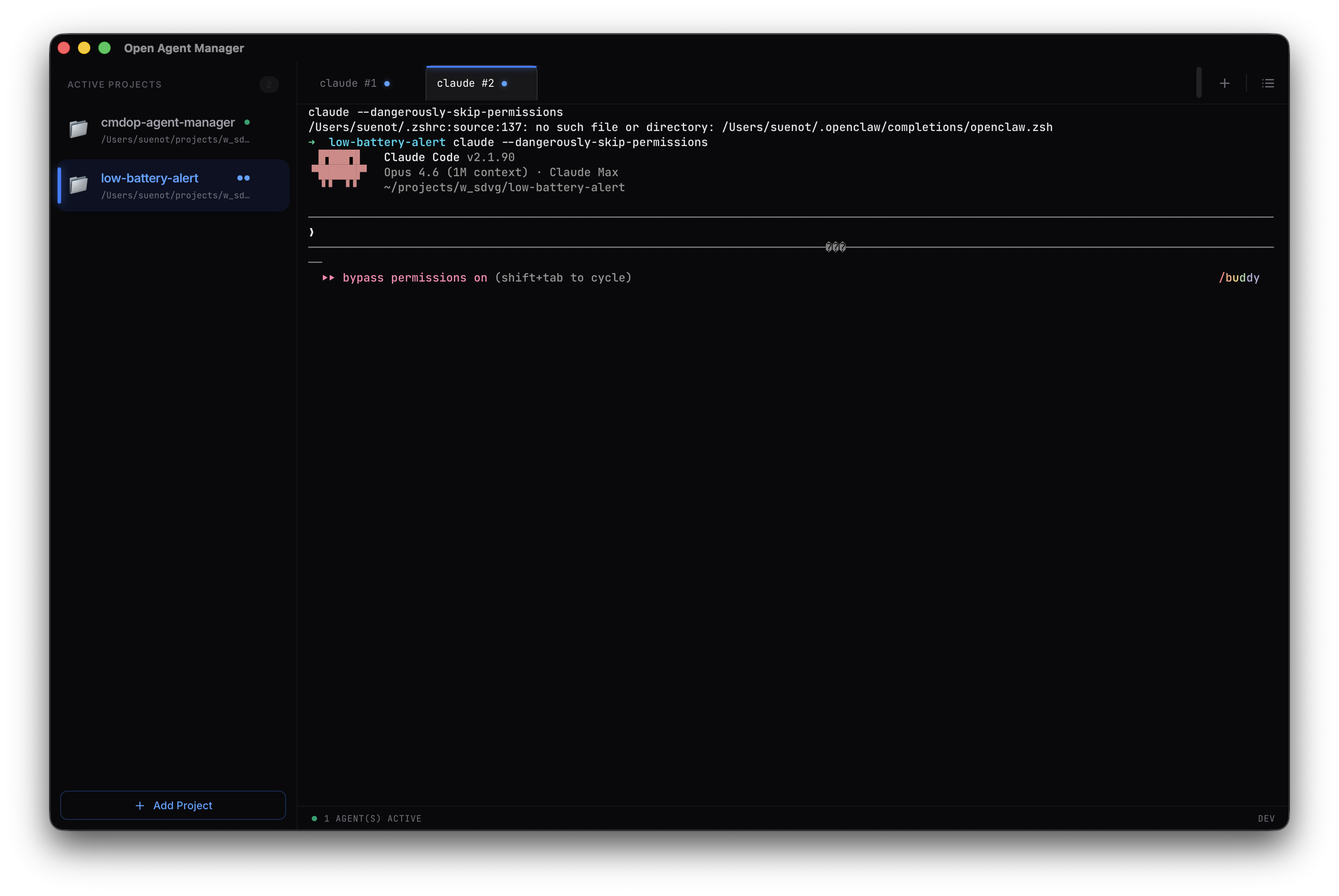
What it does
No bloat, just what you need: projects, terminals, and prompt drafts.
Project Sidebar
All your projects in a list on the left. Open a project — its terminals appear on the right. Import, archive, reorder.
Parallel Sessions
Run multiple AI coding agent sessions at once. Each project can have its own set of terminal tabs running side by side.
Real Terminal
True PTY terminal, not a wrapper. Full interactive shell with GPU-accelerated rendering.
Prompt Queue
Draft prompts per project. Drag and drop to reorder, then send to the active terminal when ready.
Local, SSH, or CMDOP
Work locally or connect to remote machines via SSH. Use CMDOP for secure tunneling without VPN or port forwarding.
Connect from anywhere
Three ways to reach your agents: run locally, connect over SSH, or use CMDOP for secure tunneling without VPN or port forwarding.
- ✓Local sessions — just open the app and go
- ✓SSH to remote servers with key-based auth
- ✓CMDOP secure tunneling — no VPN needed